Introduction
Welcome to the Onroad ELD API. The API gives integration partners programmatic access to fleet telematics data — vehicle tracking, VIN lookups, and motor-carrier records — indexed by USDOT number. All responses are JSON over HTTPS and all timestamps are ISO 8601.
An API access token is required for every request. See the Authentication section below for how to obtain and use access tokens.
Authentication
Every request must include two headers: x-api-key with your API key, and provider-token with your provider token. Both headers are required on every request — keep them secret and never expose them in client-side code.
provider-tokenISSUED BY ONROAD ELDIssued personally by Onroad ELD to services that want to integrate with Onroad ELD. The token is delivered through one of our secure channels — it identifies your service as an approved integration partner.
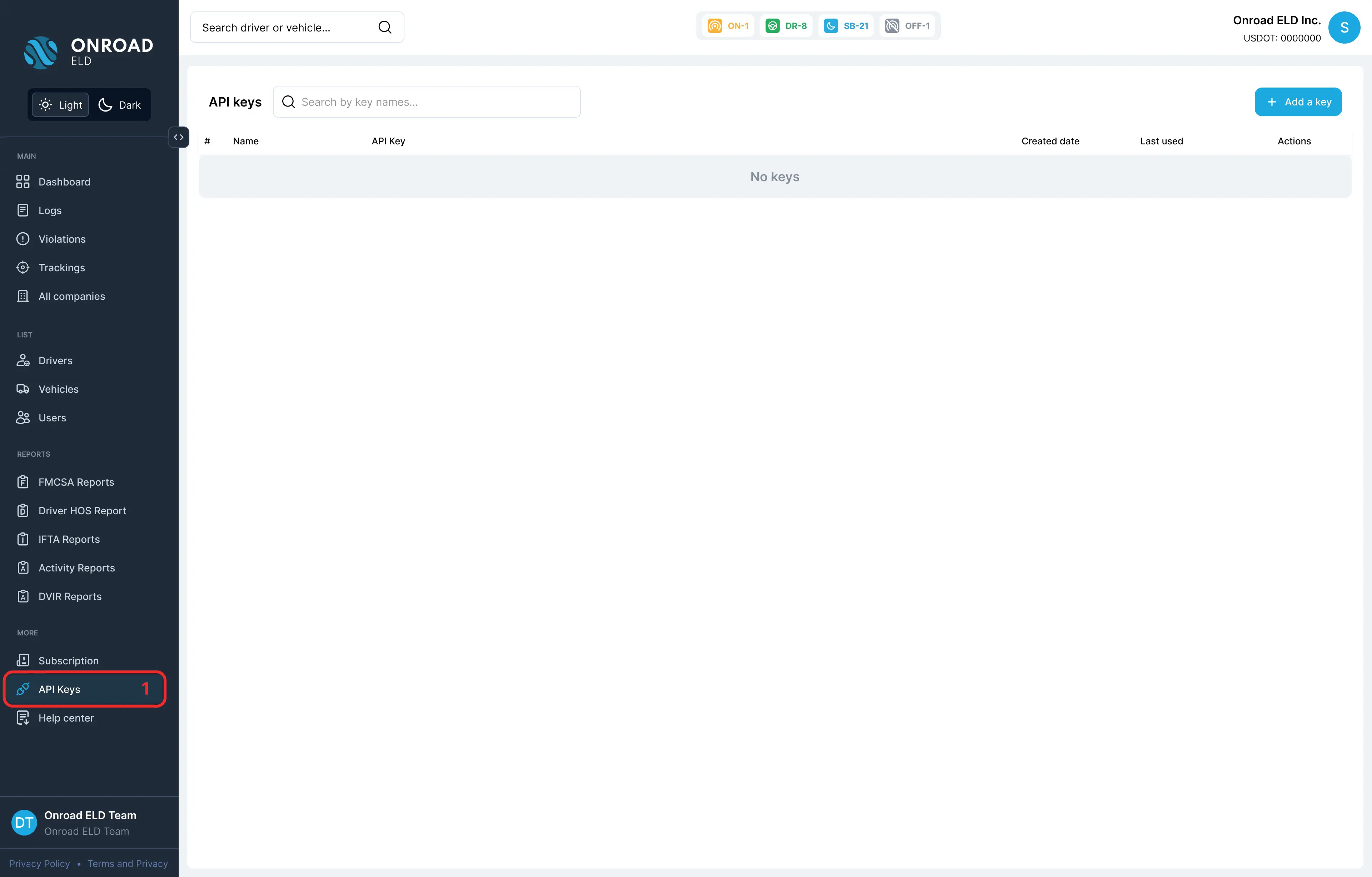
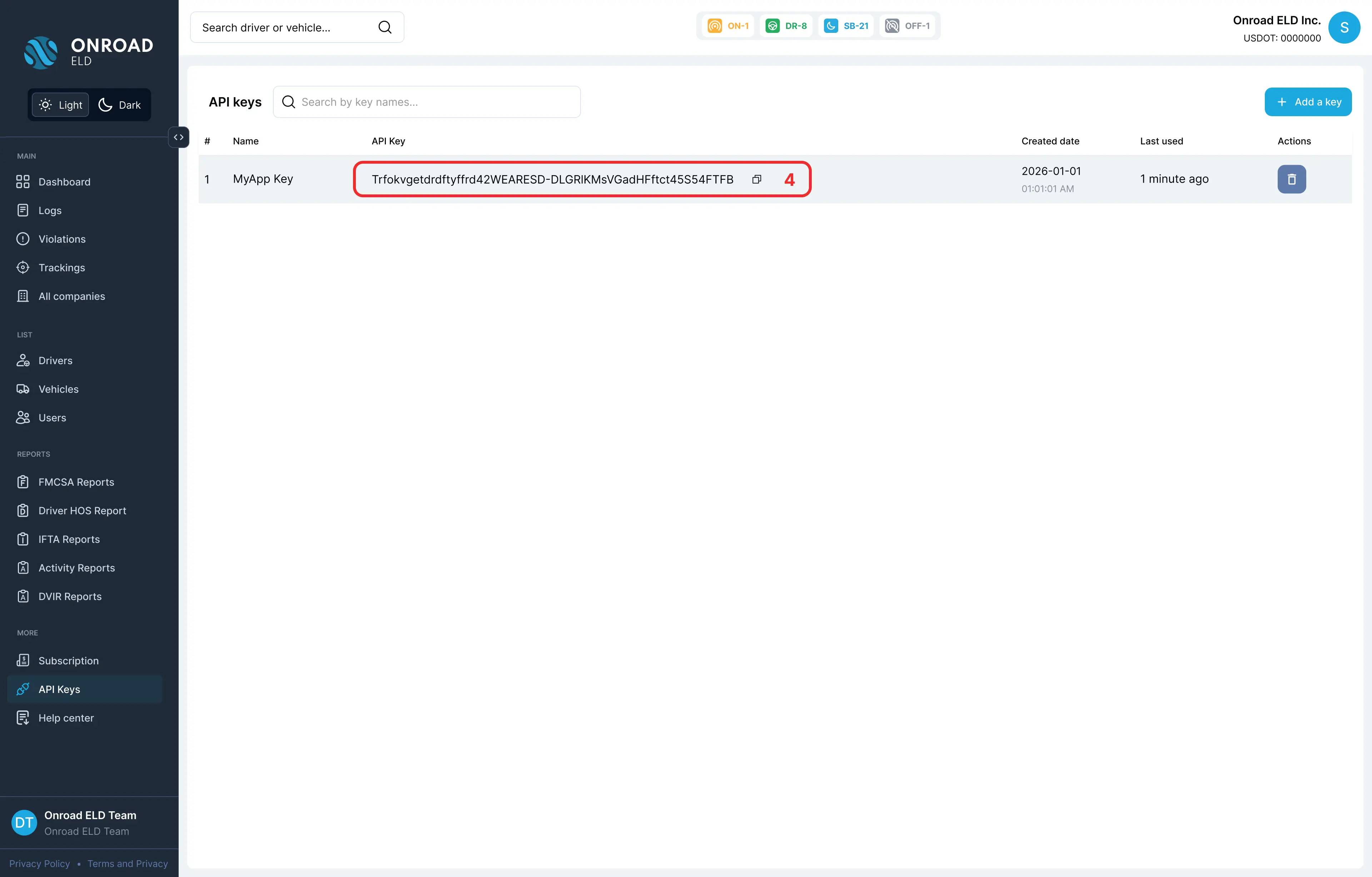
x-api-keyMANAGED BY THE COMPANYCreated and managed by the carrier itself in its panel inside the Onroad ELD system. It authorizes the connection to the integrated services and can be generated or rotated at any time under More → API Keys.
https://api.onroadnetworks.com/api/units/:usdot

Parameters:
:usdot (required): The USDOT number associated with the units.
Base URL
All endpoints are relative to the base URL below. Append the endpoint path and supply your authentication headers with every request.
Key: x-api-key
Value: API key value

Key: provider-token
Value:  Provider token value
Available endpoints
Five read endpoints are available to all authenticated integrations. Select one to open its reference page.
Generating API Key
API keys can be generated by following the steps below:
- In the left sidebar, navigate to the “API Keys” section under “More”
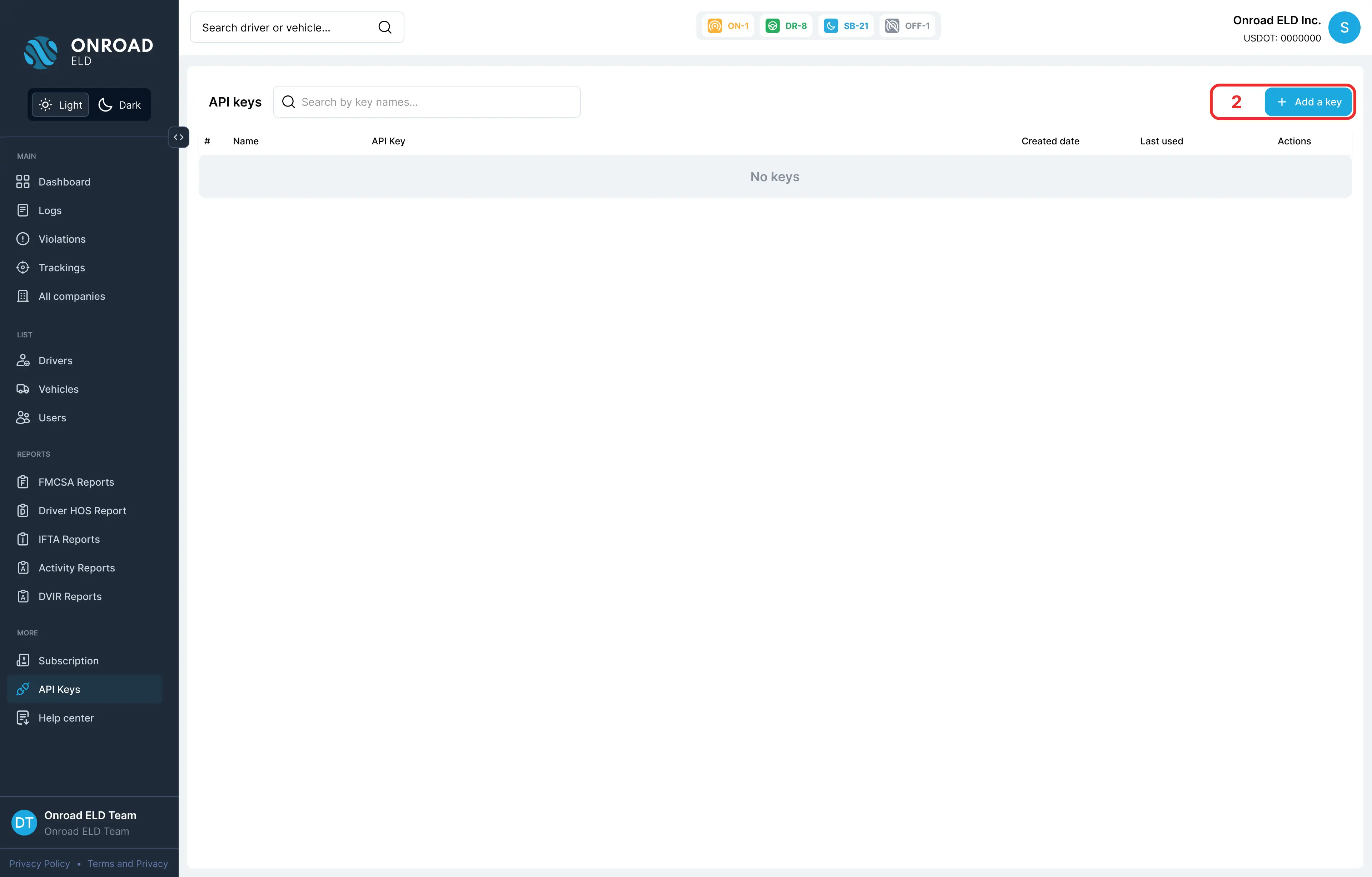
- Click the “Add a key” button in the top right
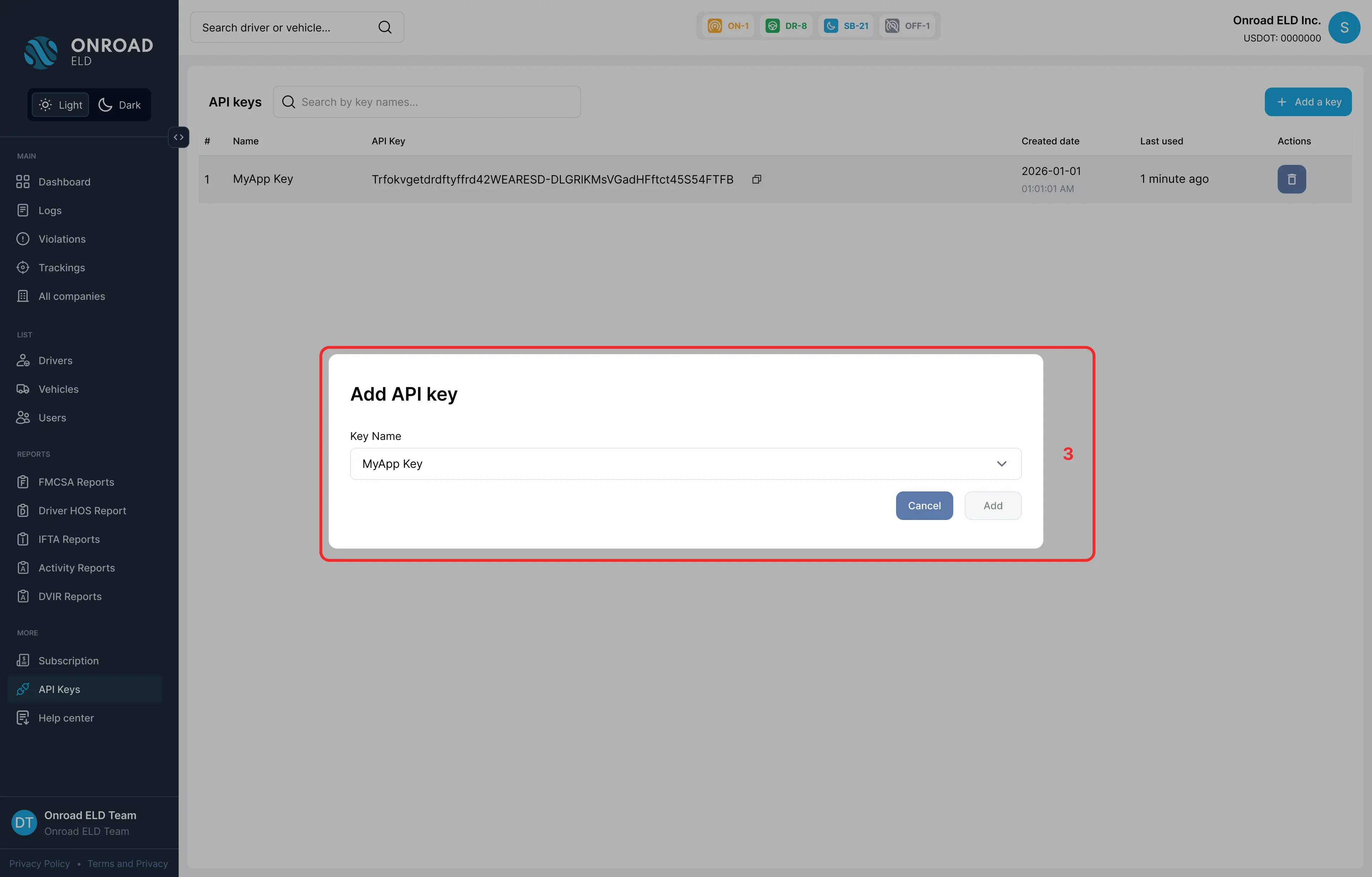
- Fill in the key name and configure access settings, then submit the form