API Documentation: Carrier Details by API key
GET /api/carrier
This endpoint provides the USDOT number of a company associated with a company API key.
URL
https://api.onroadnetworks.com/api/carrier
Authentication
To access this endpoint, the following headers must be included in the request:
Key:x-api-key
Value:API key value
Key:provider-token
Value:Provider token value
Example
cURLcurl --location --request GET 'https://api.onroadnetworks.com/api/carrier' --header 'x-api-key: ${key}' --header 'provider-token: ${token}'
Response format
JSON{
	"companyName": "string",
	"companyId": "string",
	"usdot": "string"
}
Generating API Key
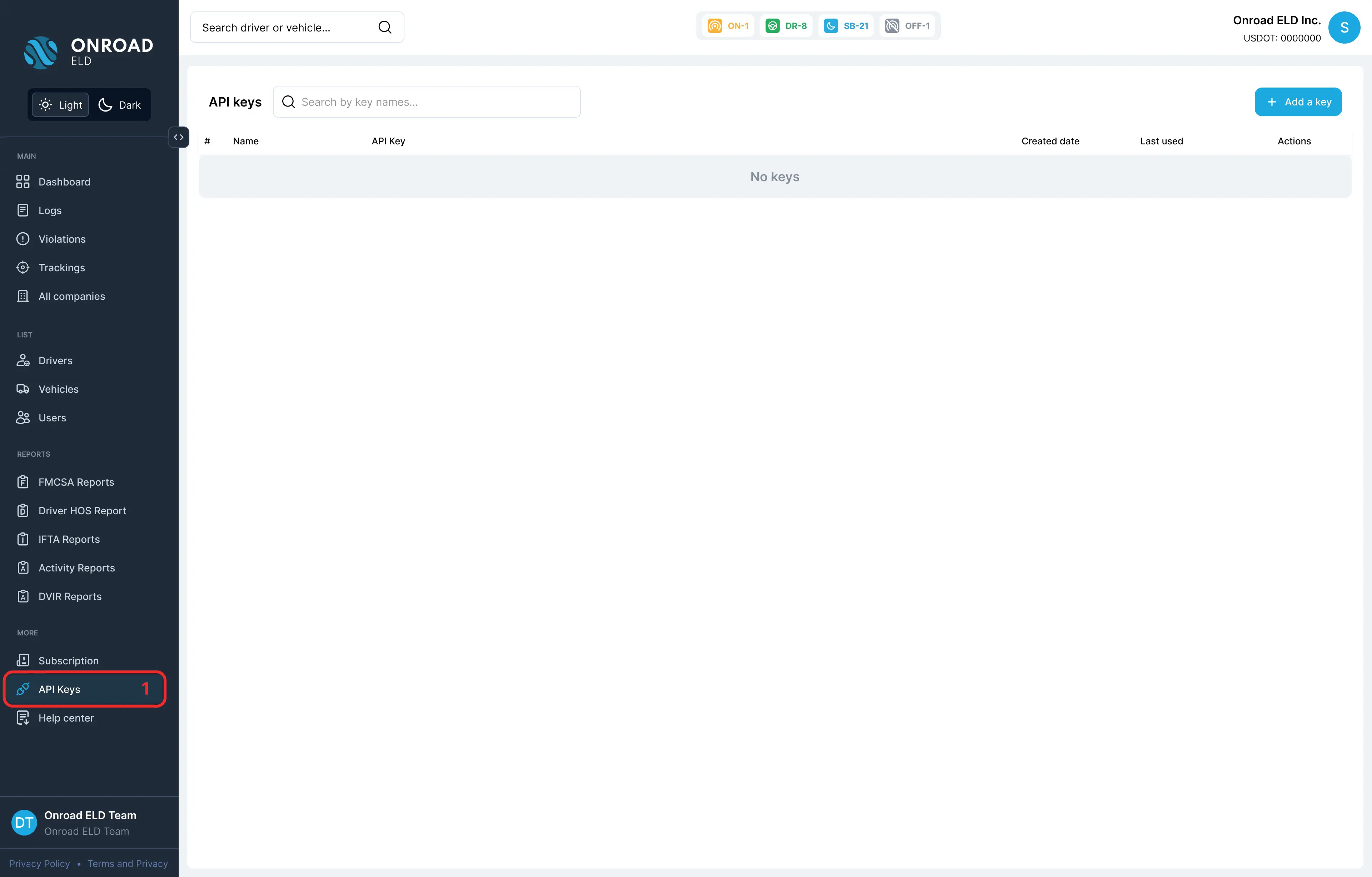
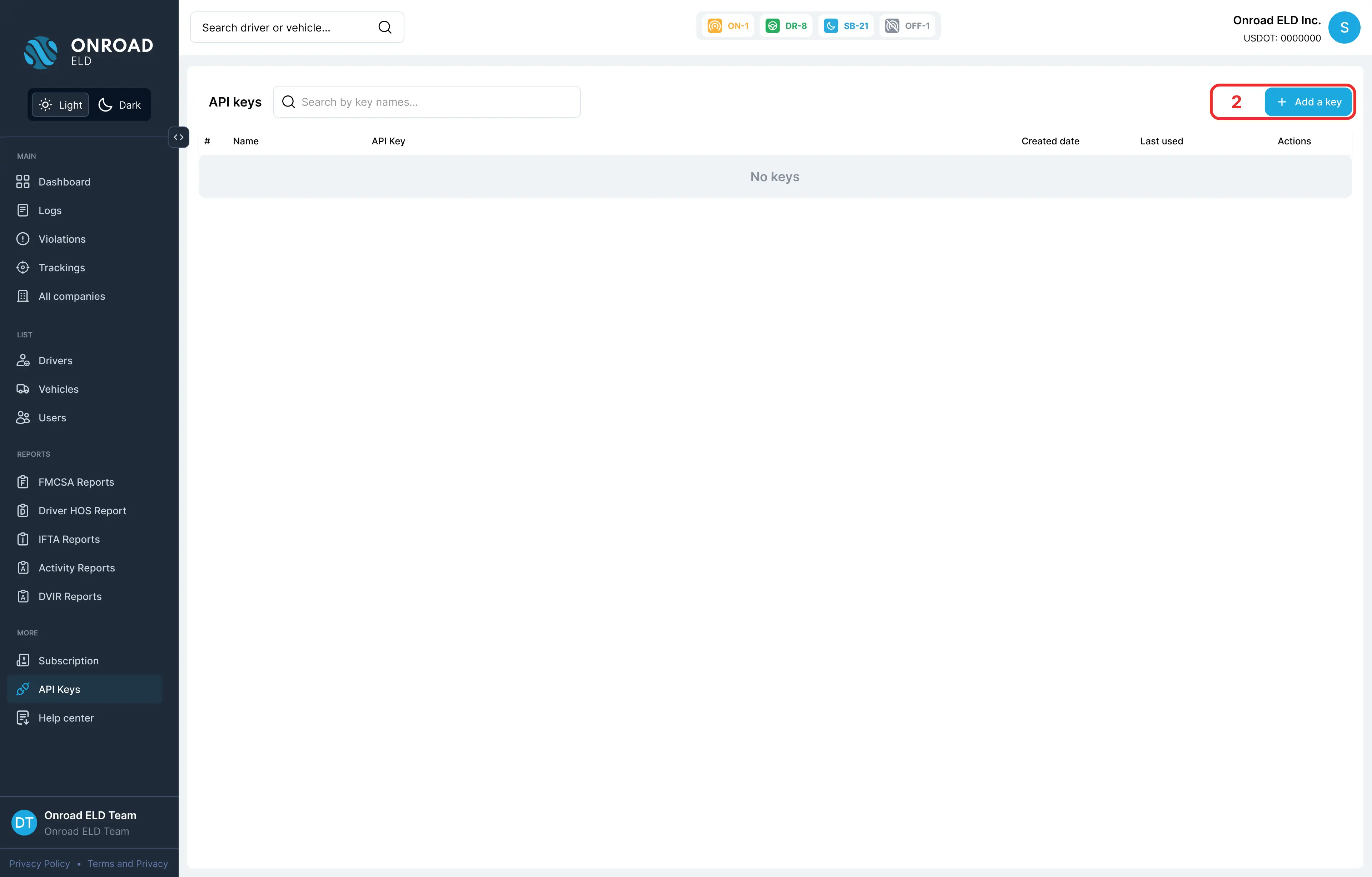
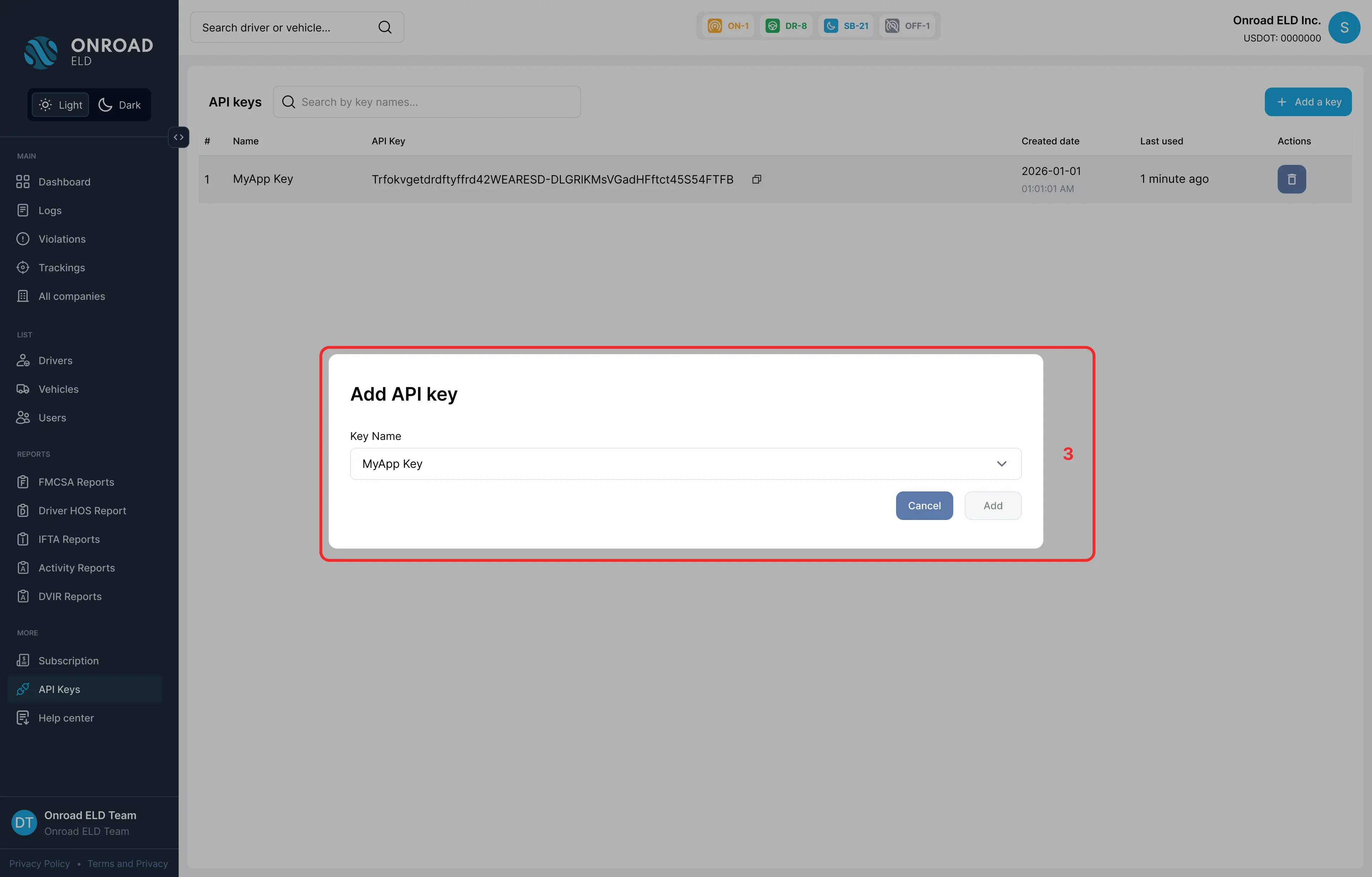
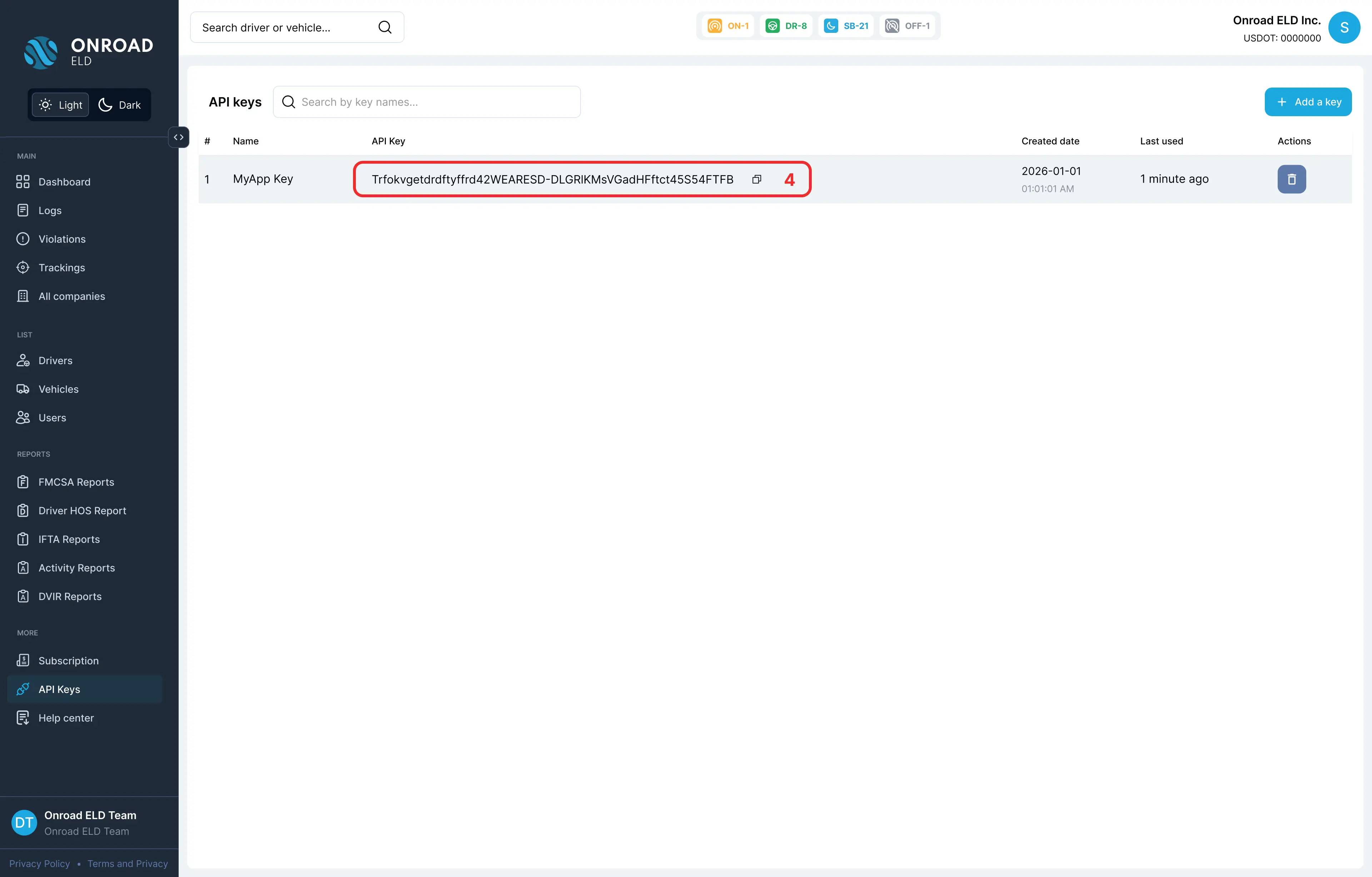
API keys can be generated by following the steps below:
- In the left sidebar, navigate to the “API Keys” section under “More”
- Click the “Add a key” button in the top right
- Fill in the key name and configure access settings, then submit the form
Test Data
Endpoint:https://api.onroadnetworks.com/api/carrier
x-api-key:2b2y38VUi9AWSSUQRn5GD8eKLuKFlORBV7rk-8dCmFTAonRoadELD
provider-token:1R8xFqCfchWVnjjQonRoadELD
cURLcurl --location --request GET 'https://api.onroadnetworks.com/api/carrier' --header 'x-api-key: 2b2y38VUi9AWSSUQRn5GD8eKLuKFlORBV7rk-8dCmFTAonRoadELD' --header 'provider-token: 1R8xFqCfchWVnjjQonRoadELD'
Notes
- Ensure that the API key and provider token are kept secure and not exposed in client-side code.
- This endpoint is useful for retrieving regulatory information about a vehicle's carrier for compliance and verification purposes.
- The response includes the USDOT, company ID and company name numbers which are critical for various logistic and regulatory needs.